
Sophie Garner is Head of Employment at St Philips Chambers and has had a long-standing involvement in the Bar Council's work on its Equality, Diversity and Social Mobility (EDSM) Committee and Retention Panel. She is one of the co-founders of the Amicus charity. She juggles a busy employment practice with the full suite of domestic duties and substantial amounts of voluntary work.
I am one of those barristers who is very busy. The sort who is so busy, in fact, that they often forget to bill for the work they’ve done and then wonder why their bank balance looks a bit thin. Me, I’m also guilty of underestimating, sometimes grossly, how much time I’ve spent on a piece of work.
My excuse for poor time recording is that I have difficulty getting myself embedded into a piece of work sufficiently well to keep my focus from being pulled away to something that seems more urgent (de-fleaing the cat, opening the door to another delivery person, having those all-important 6 coffees of the morning, writing a blog for the Bar Council etc). So I then end up wondering how much time I did, actually, spend doing the work rather than faffing. That’s where the underestimation comes in.
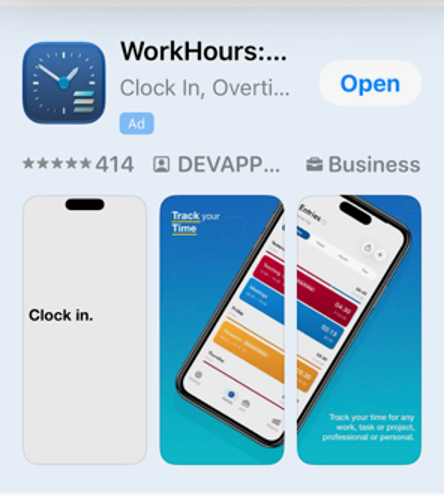
So imagine my surprise when I came across a work recording app that seems, in many ways, tailored to disorganised, busy barristers just like me! It’s the WorkHours app (left) by DEVAPPS d.o.o. The good news is that it’s free… for the moment. Bad news is that it’s currently only available for Apple devices.
Of course, other apps are available, and I’d encourage anyone who's found a better one to use it. But I’ve been using this one for around 18 months now, with varying degrees of consistency depending on how many Amazon deliveries I’m expecting, and for me, it’s been an absolute game changer.
How it works
It has all the features you’d need and if you use it throughout your day (which is easy) you will be amazed at how efficiently you record time and bill your clients.
To get started, set up each case as a “job”. Give each case or job a different colour so you can scroll through them easily and find the one you’re working on. To start recording time, swipe right. To pause and go on a break (eg to open the front door for the next delivery), swipe left and toggle up; to stop recording, swipe left and toggle down. That’s it. Like I said, easy. You can add your hourly rate, specific tasks, and notes for each piece of work.
At the end of the workday (or in my case, month… some habits are hard to break), you can download a CSV (spreadsheet) or PDF report of the work that you’ve done. This is fully customisable so that you can produce the report by day, week, month, or custom period, and categorise it by job or date.
If you have forgotten to start the timer, you can add a time entry very easily. The only slight issue I have is that adding breaks in manual time entry can be a bit tricky, as can sorting out the times if you work past midnight, which, frankly, you shouldn’t be doing anyway.
My preference is to receive CSVs broken down by case, which I can then format as needed and send to the clerks for billing.
Overall, the app is very simple to use and has all the functionality I need to keep me sane, and my clerks happy.
Finally, before you rush to the App Store, I would warn you that there is also a Chinese copycat app, also called WorkHours, which seems nowhere near as good as the WorkHours version I use from Devapps. Avoid it.
Enjoy!